Instagram Settings You Should Check to Reach More Non-Followers
If your goal is to grow on Instagram, reaching people who already follow you is only half the job.
You also need Instagram to be able to show your content to people who don’t follow you yet.
And while there is no secret setting that magically unlocks more reach, there are a few Instagram settings worth checking to make sure you aren’t accidentally limiting your discoverability.
Because before we blame the algorithm, let’s at least make sure we didn’t lock the door.
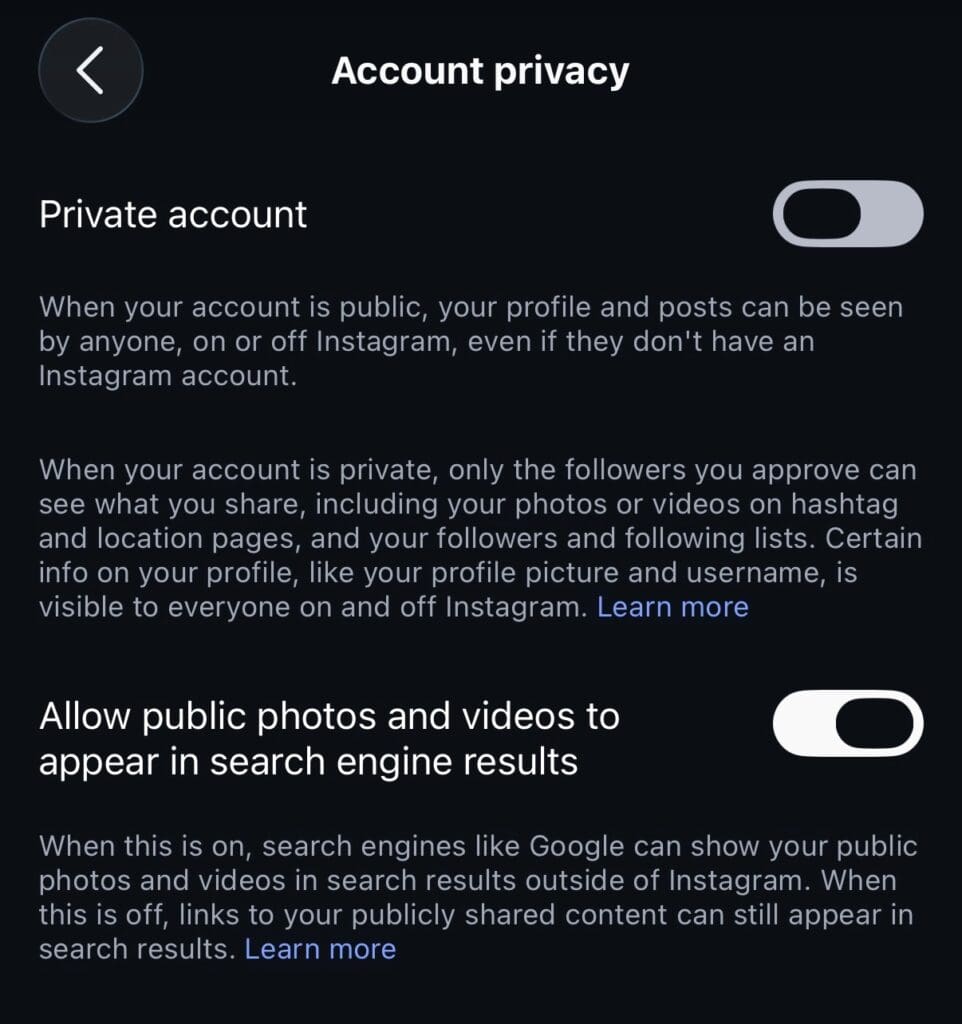
1. Make sure your account is public
Starting with the painfully obvious one because it matters:
If you’re using Instagram to market a business or grow an audience, your account should generally be public.
Private accounts intentionally limit who can see their content. A public account gives your posts and Reels the opportunity to be discovered beyond your existing followers.
For most businesses and creators trying to grow, this one’s an easy yes.
2. Check your Account Status
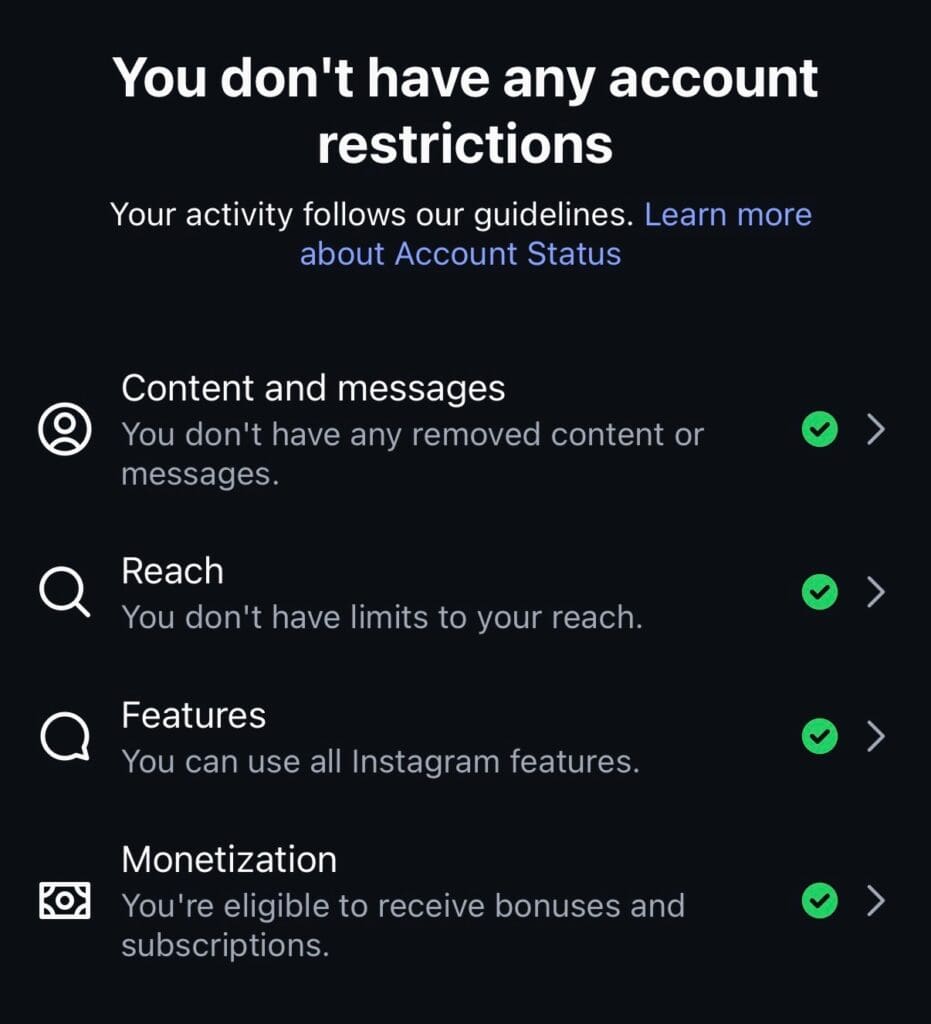
This is one of the first places I’d look if your reach suddenly seems unusually low.
Instagram’s Account Status can tell you whether something you’ve posted or something on your profile may be affecting your account’s ability to be recommended.
That distinction matters.
Your content can technically be allowed on Instagram while still not being eligible for recommendation to people who don’t follow you.
Check Account Status periodically, especially if you notice an unexplained change in reach.
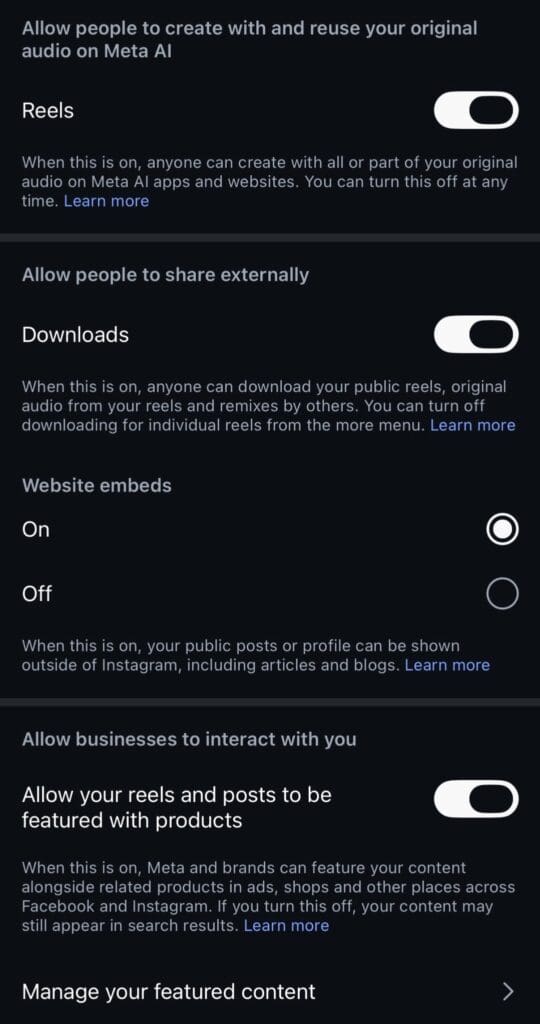
3. Check your sharing and reuse settings
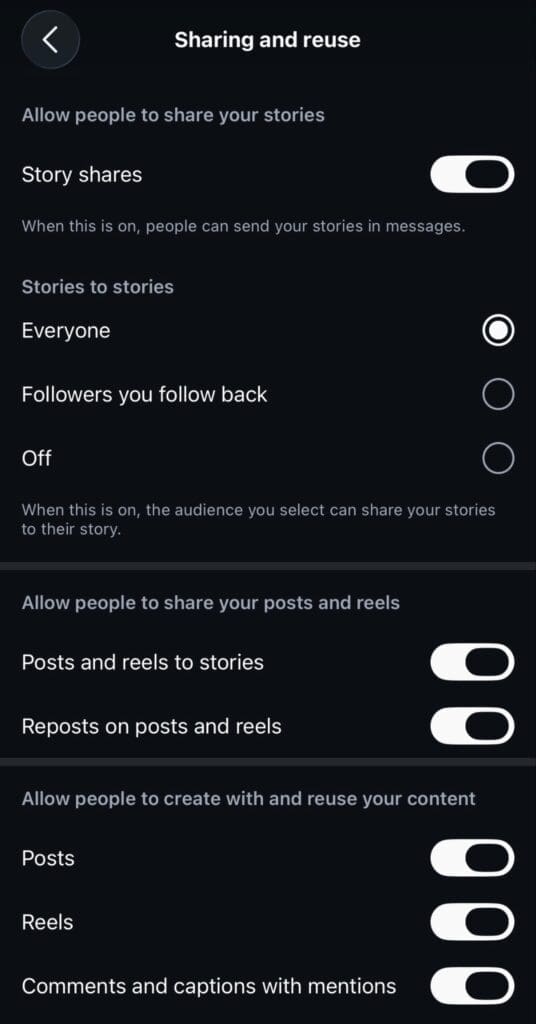
Instagram has settings that control how other people can share, reuse, remix, or repost your content.
For a business or creator focused on visibility, I’d review these rather than automatically restricting everything.
Allowing your content to travel beyond your own profile can create additional opportunities for discovery.
That doesn’t mean you need to give the internet free rein over everything you make. It just means you should know what you’ve turned on or off and make the decision intentionally.
4. Make sure you’re uploading at the highest quality
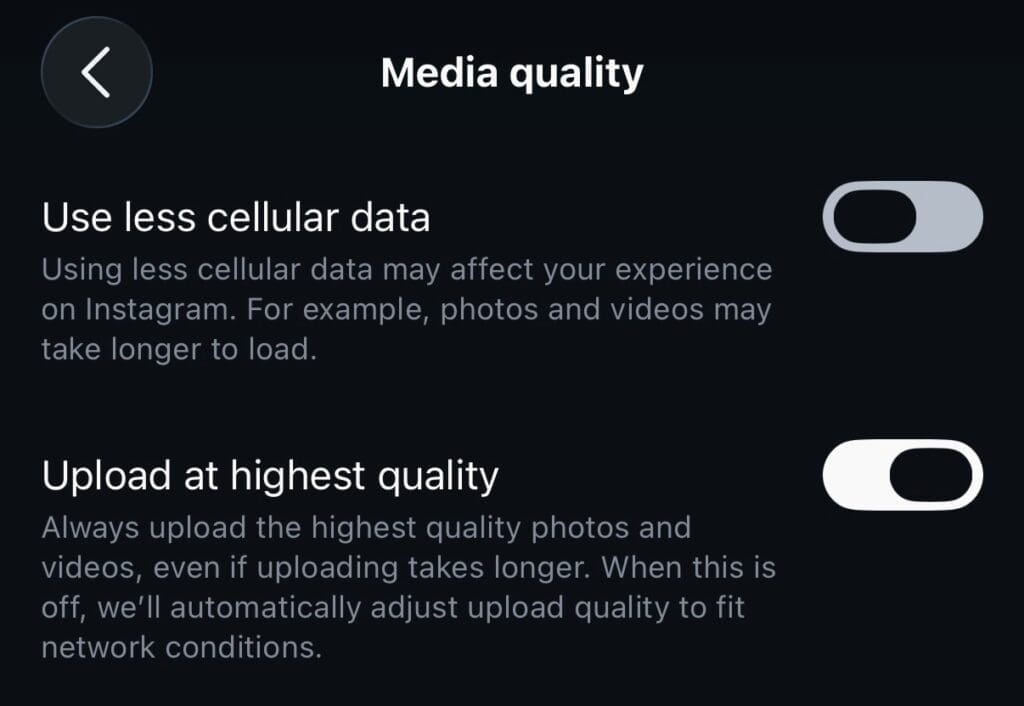
This one isn’t technically a “reach button,” but it’s still a setting I want businesses to check.
Instagram includes an option to upload at the highest quality.
Turning it on doesn’t guarantee more views.
It does help make sure you’re giving Instagram the best version of your content possible instead of voluntarily starting with lower-quality media.
If you’re spending time creating good photos and videos, this setting is worth checking.
5. Don’t confuse content preferences with reach settings
This is where a lot of viral Instagram-setting advice gets messy.
Some settings control what Instagram shows you, not who Instagram shows you to.
For example, settings related to suggested content and your own content preferences can change your experience while scrolling. That doesn’t automatically mean changing them will make Instagram distribute your posts to more people.
Those are two different things.
Before changing a setting because someone says it “boosts reach,” ask:
Does this control my content’s eligibility and distribution, or does it control what I personally see?
Very different job descriptions.
What about translations, GIF comments, reposts, and all those other settings?
You’ll see plenty of lists online promising that changing a collection of obscure Instagram settings will increase your reach.
Some of those settings can make your account more accessible, shareable, or easier to interact with.
That can be useful.
But useful isn’t the same as an algorithm hack.
Turning on GIF comments isn’t going to summon 10,000 non-followers.
Adding languages or translation options may make content easier for a broader audience to understand, but it doesn’t mean Instagram will automatically reward your account with more distribution.
Think of these as supporting settings, not a growth strategy.
Settings can remove roadblocks. They can’t create good content.
This is the part nobody wants to hear when they’re searching for the secret Instagram checkbox.
There isn’t one.
Your settings can make sure your account is public, eligible for recommendations, shareable, accessible, and uploading good-quality content.
After that, the content still has to do its job.
People need a reason to stop.
A reason to watch.
A reason to save it, send it, follow you, or click your profile.
So yes, check your settings.
Then go make something worth recommending.


